

Why Don’t Some SSDs Have DRAM? A Deep Dive into HMB
Solid-state drives (SSDs) are the speed core of modern computers, but not all SSDs share the same architecture. When choosing a storage device, you’ll often see two categories: high-end drives with an onboard, dedicated DRAM chip, and budget-friendly “DRAM-less” drives. To solve the speed bottleneck of DRAM-less drives, storage engineers developed a technology called the Host Memory Buffer (HMB) technology. This article takes a deep look at how HMB works, how it manages an SSD’s internal mapping table, and whether choosing a DRAM-less SSD is a good fit for your setup.
Table of Contents
- How Does a DRAM-less SSD Work? Answer: HMB
- Is a DRAM-less SSD the Best Choice for Expansion?
- Conclusion
How Does a DRAM-less SSD Work? Answer: HMB
Every SSD needs a “map” to function properly. This map is called the Logical-to-Physical Mapping Table (L2P table), which is created and managed by the Flash Translation Layer (FTL) within the SSD controller. The FTL’s job is to translate the logical file requests issued by the operating system, via this L2P table, into the actual physical locations on the NAND flash chips. How a drive stores this map directly determines its read/write speed and lifespan.
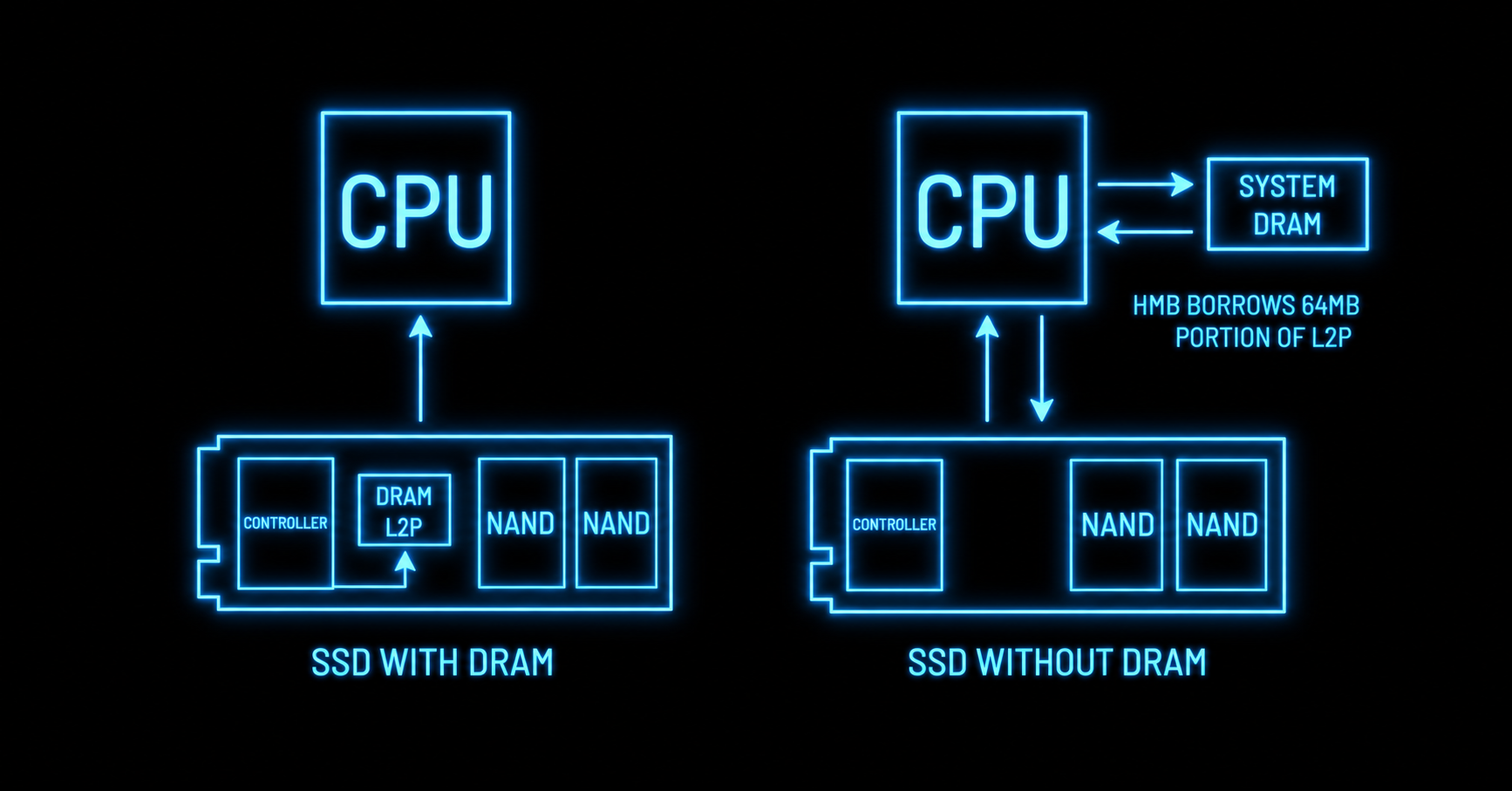
HMB uses system memory (RAM) to store the L2P table
Modern DRAM-less SSDs don’t have an expensive DRAM chip soldered onto the circuit board. Instead, they “borrow” a small block of space from the computer’s system memory (RAM) using HMB (Host Memory Buffer) technology. The NVMe protocol communicates with the operating system to allocate this region, but the allocation has a strict cap, usually only 64MB.
If you can borrow system DRAM, why does an SSD need its own?
In sharp contrast, traditional high-performance SSDs come with a dedicated onboard DRAM cache chip, following the golden rule of storage engineering: 1GB of dedicated DRAM for every 1TB of storage capacity. So, a traditional 2TB drive will have 2GB of ultra-fast memory, enough to hold the entire L2P mapping table at all times. A DRAM-less drive using a 64MB HMB, managing that same 2TB capacity, has only a fraction of that mapping table space available.
Check out G70 PRO M.2 PCIe 4.0 SSD
How does HMB replace an SSD that has onboard DRAM?
For a mere 64MB memory window to effectively manage a drive of several terabytes, the SSD controller relies heavily on predictable patterns in how a computer reads data:
- Spatial Locality: If a computer reads a particular file, it is likely to read nearby data next.
- Temporal Locality: If a computer just read a particular file, it is likely to read it again soon.
The HMB cache intelligently keeps only the most frequently used L2P mapping table pages in this 64MB space, achieving a hit rate of over 90% for everyday use.
Performance impact of DRAM-less SSDs
Because there is no dedicated DRAM to hold the L2P address mapping table, on a cache miss the SSD controller must constantly read this table from the slower NAND flash. This process introduces small amounts of latency, and when data is heavily fragmented, sustained random read speeds can also slow down, especially when transferring large files.
Why do DRAM-less SSDs typically have a relatively shorter lifespan?
In theory, when the computer requests data that falls outside this 64MB HMB cache range, a “cache miss” occurs. At this point, the SSD controller must quickly clear the old mapping table and read new L2P pages from the slower NAND flash. This L2P table frequent movement, reading, writing, and updating between the buffer and the drive generates extra write operations (Write Amplification), which physically accelerates wear on the NAND flash.
However, this theoretical lifespan disadvantage can be almost completely ignored when the SSD is used as a secondary drive (for data storage or games). This is because the workload characteristics of a secondary drive naturally avoid the physical wear mechanism described above.
Is a DRAM-less SSD the Best Choice for Expansion?
Exceptional value for a secondary drive: Removing the costly DRAM chip when manufacturing an SSD not only lowers component costs but also simplifies the circuit board’s layout and design. Manufacturers pass these savings directly on to the price, making DRAM-less SSDs an excellent value choice for budget office PCs, home PCs, or as a dedicated secondary drive for games.
DRAM-less means lower power consumption and better thermals: DRAM chips require continuous power and generate noticeable heat. Without this memory chip, DRAM-less drives draw significantly less power from the motherboard. This gives them excellent thermal efficiency, making them especially effective on laptops and handheld gaming devices, effectively extending battery life and reducing heat output.
Imperceptible difference in everyday use: Thanks to HMB’s clever design, unless you specifically need to move large files or have specialized requirements, the average user will notice almost no difference in real-world speed or smoothness when booting Windows, launching large games, or running everyday office software.
Conclusion
A DRAM-less SSD is by no means an inferior product — it is a highly optimized technology with a clear purpose. While enterprise-grade databases with intensive writes, or professional 4K/8K video editing, still require dedicated DRAM for ultimate durability and stability, HMB cleverly borrows just 64MB of memory from the system, striking the perfect balance between low cost, low power consumption, and smooth everyday performance for modern DRAM-less SSDs.
| Assessment | Key Highlights & Description |
|---|---|
| Advantages | Highly competitive cost and price |
| Lower power consumption and heat output | |
| HMB technology effectively compensates | |
| Nearly no perceptible difference | |
| Target Audience | Budget-conscious builders and upgraders |
| Laptop / and mini PC users | |
| Users using it primarily as a secondary access drive | |
| Recommended pick: TEAMGROUP's great-value NV10000 |
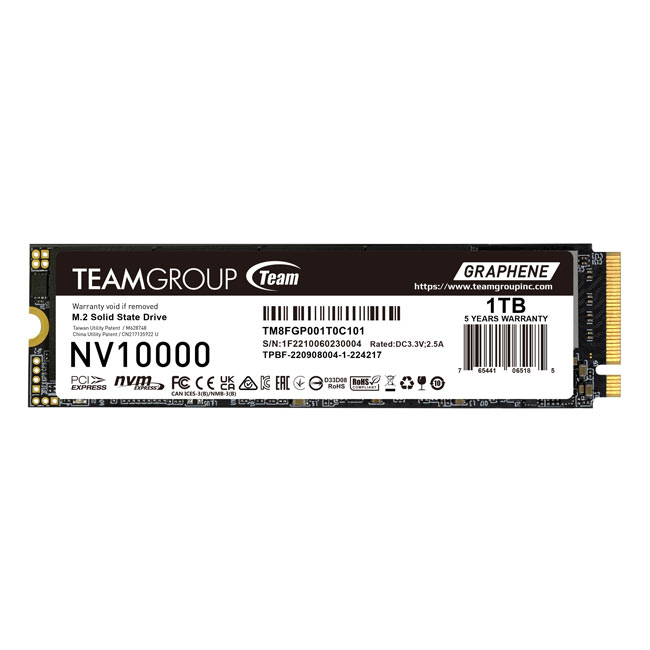
NV10000 — The Top Choice for a DRAM-less Secondary Drive
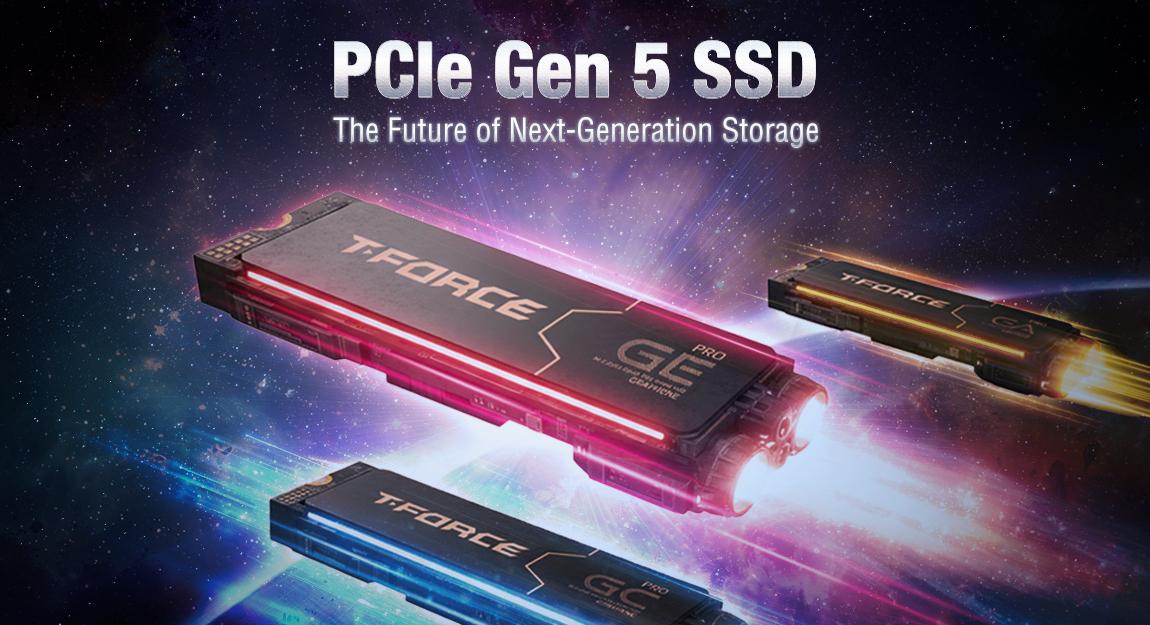
The TEAMGROUP NV10000 M.2 PCIe 5.0 SSD features the latest PCIe Gen5 x4 interface, with read speeds of up to 10,000MB/s. Built on a DRAM-less HMB architecture, this latest-generation, budget-friendly SSD is the top choice for a high-value, low-power secondary drive for users with expansion needs.
RELATED Blog
1
9